Showing posts with label browser. Show all posts

Thursday, May 16, 2024

New browser extensions for Chrome

Google has introduced a new Application Programming Interface (API) for the Chrome extensions. Starting from June 2024, only extensions that support the new API will remain functional. The code for the "Add to Ninja" and "Bookmark All Tabs" Chrome extensions has been completely rewritten to comply with the new API. The updated extensions are now available in the Chrome Web Store.

By default installed extensions are automatically updated in Chrome. The new version number for both the "Add to Ninja" and "Bookmark All Tabs" extensions is 3.0.0.0. To verify the version number, right-click on the extension icon on the Chrome toolbar and select "Manage extensions". If you still see the old version number (starting with 1.0.0 or 2.0.0), please manually update the extensions. If you see the version number 3.0.0.0 then no action is required.

The "Add to Ninja" bookmarklet remains unaffected. If you are using it, no action is required.

Monday, May 6, 2024

Preparing for the upcoming Chrome extensions

Google has introduced a new Application Programming Interface (API) for the Chrome extensions. Starting from June 2024, only extensions that support the new API will remain functional. The code for the "Add to Ninja" and "Bookmark All Tabs" Chrome extensions have to be rewritten to comply with the new API. Today's update includes necessary modifications to the Bookmark Ninja code to accommodate these changes in the extensions. The new extensions are also coming soon. Stay tuned for updates!

Sunday, October 29, 2023

Today's update includes an important bug fix

Today's update includes the fix for the "Add to Ninja bookmarklet doesn't work in Safari on iOS" issue.

The issue has to do with how the new version of mobile Safari saves the JavaScript code. This new behaviour breaks the JavaScript code of the "Add to Ninja" bookmarklet. This impacts only the users who recently installed the bookmarklet in Safari on iOS. Users who installed it earlier still can use it without any problem.

The JavaScript code of the "Add to Ninja" bookmarklet has been modified so that the way the new Safari saves the code will not make it unusable.

If your "Add to Ninja" bookmarklet doesn't work in Safari on iOS, please delete it and reinstall it following the steps described here: How to install the bookmarklet in your mobile browser?

Please contact us at support@bookmarkninja.com if you have any questions or if there's anything we can help you with.

Saturday, October 28, 2023

New installation of the "Add to Ninja" bookmarklet doesn't work in the latest version of Safari on iOS

If you install the "Add to Ninja" bookmarklet in the latest version of Safari on iOS, the "Add to Ninja" bookmarklet will not work. The issue has to do with how the new mobile Safari saves the javascript code. If you installed the bookmarklet earlier then the issue doesn't affect you. If you have this problem please let me know this by sending an email to support@bookmarkninja.com and I will send you the updated bookmarklet script that fixes this issue. I will also update the script on the website ASAP.

Tuesday, March 28, 2023

Fixing the "error when user right mouse clicks on a bookmark" issue

Users might get the "Oops, something went wrong..." error message when they right mouse click on a bookmark on the Dashboard to invoke the bookmark context menu.

It happens when a browser extension is running in the browser that changes the content of the Bookmark Ninja Dashboard. It changes the IDs of the components of the web page (the Dashboard) which causes the error. This is a very bad behaviour of a browser extension, the browser web stores should refuse the submission of such extensions. These extensions can harm the functionalities of the web applications.

Typically browser extensions that translate the content of the web pages can cause such issues.

Please follow the steps below to fix the issue:

(1) Disable all the browser extensions in your browser.

(2) Enable the browser extensions one by one to find out which one causes the issue.

(3) If you find the browser extension that causes the issue add Bookmark Ninja to its exception list/white list (if there is any). Make sure you are using the full URL "https://www.bookmarkninja.com". If the browser extension doesn't support an exception list/white list then leave the extension disabled.

Friday, June 10, 2022

Introducing the new UI component library

The UI component library in Bookmark Ninja was 6 years old, so it was time to update it to a newer version. The update of the UI component library was a big work that took several months to complete. It affects both the desktop and mobile UI. Updating the library for the mobile UI was the more complicated task, it required rewriting about 80% of the mobile UI code. The work that had to be done on the desktop UI was less, it affected about 10% of the code.

What are the benefits of having an updated UI component library?

It was necessary to update the UI component library in order to keep up with the improvements of the browsers and to minimize the possible incompatibilities.

Also the new UI library includes a lot of improvements and bug fixes that will provide a better user experience:

  • The rendering of the UI components is faster.
  • Now additional UI components are available that we can use in the future developments of Bookmark Ninja.
  • The new UI component library provides a solution for the "blank page flash at page load" Chrome issue.
  • During integrating the new UI component library all the known UI related bugs have been fixed.

What does the new UI look like?

The UI in the desktop browsers looks like the old one, there aren't noticeable differences, the big change is under the hood.

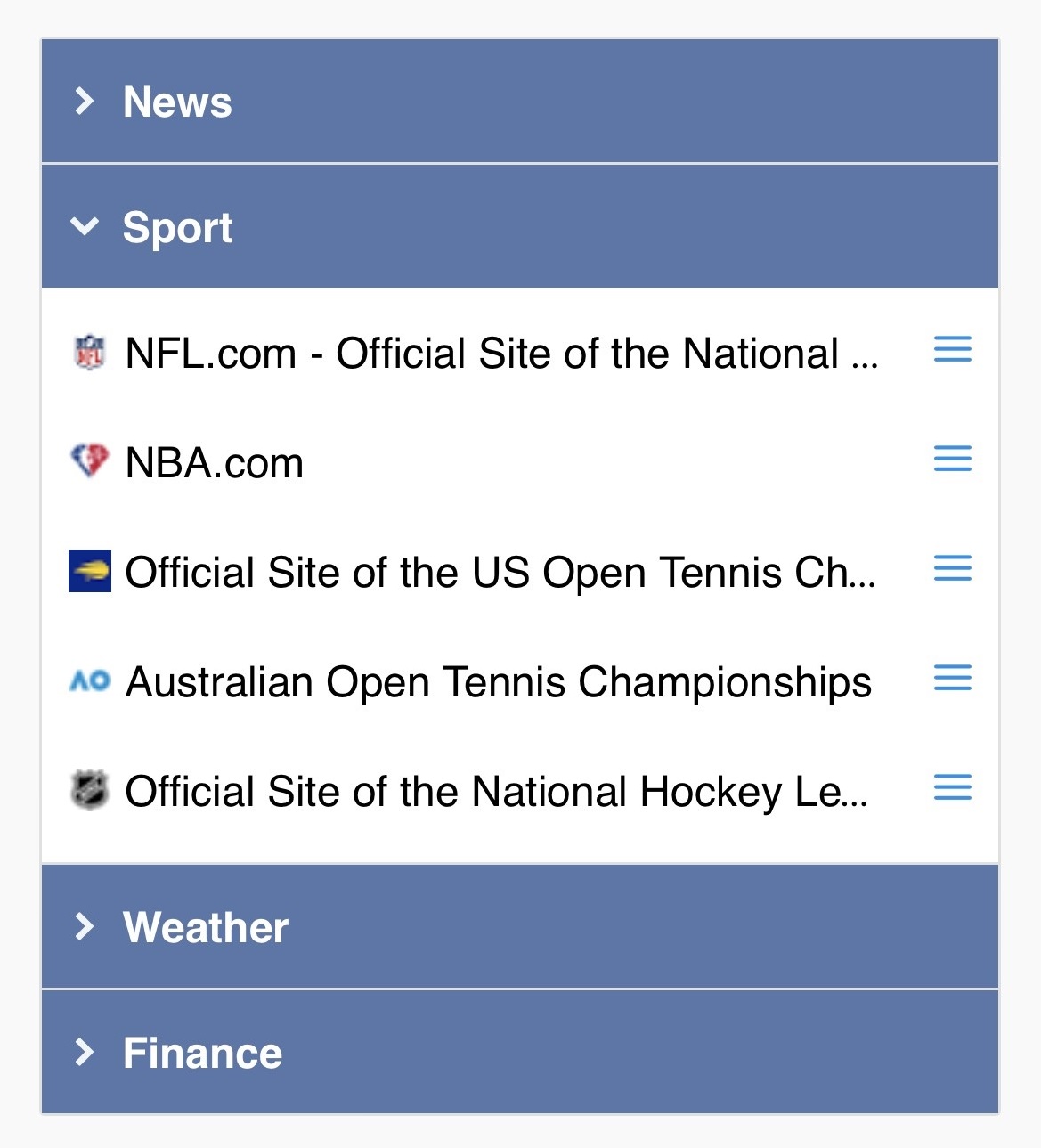
In mobile browsers the UI got a nicer, cleaner look. The mobile UI components have been updated in order to be more consistent with the desktop UI while the mobile specific screen layouts were kept:


Are there any functional changes?

Yes, there is one. Until now you could invoke the bookmark context menu on the Dashboard in mobile browsers with "tap and hold". From now on you have to tap on the new menu icons (3 blue, horizontal lines) next to the bookmarks. The "tap and hold" functionality has been removed.

In desktop browsers this functionality hasn't changed, you can still invoke the context menu of the bookmarks on the Dashboard with a right mouse click on the bookmarks.

Friday, March 4, 2022

The update of the UI component library

The work of updating the UI component library started in December last year. You can read about the details (why this update is necessary, what will change, what will the new UI look like etc.) in this blog post.

By now it turned out that I underestimated the amount of work that has to be done to update the mobile UI so the end of February 2022 deadline couldn't be kept. Also while working on updating the UI component library other higher priority tasks keep popping up like fixing the broken favicons due to changes in the Google service or making security improvements.

Based on the current estimates the new UI component library will be available in Q2 2022. I would rather not specify an exact target date because of the complexity of the work and because of the ongoing adjustments that are required by changes in the 3rd party services.

Please feel free to reach out to me if you have any questions.

Wednesday, December 1, 2021

Updating the UI component library - the next big project

The UI component library in Bookmark Ninja is 6 years old, it's time to update it to the latest version that has been released in 2021. The update of the UI component library affects both the desktop and mobile UI. Updating the library for the mobile UI is the more complicated task, it requires to rewrite about the 80% of the mobile UI code. The work that has to be done on the desktop UI is less, it affects about the 10% of the code.

What will be the benefits of having an updated UI component library?

It's necessary to update the UI component library in order to keep up with the improvements of the browsers and to minimize the possible incompatibilities.

Also the new UI library includes a lot of improvements and bug fixes that will provide a better user experience:

  • The rendering of the UI components is faster.
  • Additional UI components are available that we can use in future developments of Bookmark Ninja.
  • The new UI component library provides a solution for the "blank page flash at page load" Chrome issue.

What will the new UI look like?

The UI in the desktop browsers will look like the current UI, there won't be noticeable differences, the big change is under the hood. In mobile browsers the UI will be a little bit different. The mobile UI components will be updated in order to be more consistent with the desktop UI, but the mobile specific layouts will be kept. Also the mobile UI will have a nicer, cleaner look than the current one.

When will the new UI library be available in Bookmark Ninja?

Based on the current estimates the integration of the new UI component library will take 2-3 months. The target date is end of February 2022.

Please feel free to reach out to me if you have any questions.

Friday, November 26, 2021

Google Chrome issue

In the latest Chrome update (version 96.0.4664.45) on Windows when full page reload happens a blank page shows up for a moment very frequently. Previous Chrome versions didn't have this issue, full page reload happened smoothly without seeing a blank page.

Unfortunately this Chrome issue affects Bookmark Ninja, too. When you switch between the Tabs on the Dashboard or select/deselect the tags on the My Bookmarks page you will see a blank page for a moment before the page is refreshed.

Other browsers work fine. Even Chrome on Mac is ok.

I've reported the issue to Google. Let's hope they will fix it in the next Chrome build.